


Thousands of Gauteng residents rely on the R370 Social Relief of Distress (SASSA) grant for monthly financial support. If a beneficiary loses their SIM card or changes their cellphone number without updating it on the system, access to payment notifications and verification codes can be disrupted. The South African Social Security Agency has confirmed that beneficiaries must immediately update their registered phone number to prevent delays in receiving payments.
Because the cellphone number linked to an SRD application is the primary method of communication, losing access to it can block OTP verification, status checks, and payment updates.
ALSO READ: Smart Ways to Save a Portion of Your SASSA Grant for Emergencies
Why Your Registered Phone Number Is Critical for the R370 Grant
SASSA uses the cellphone number submitted during the application to:
- Send payment notifications
- Deliver one-time pin codes for login verification
- Confirm application status updates
- Communicate identity verification alerts
If the number becomes inactive, blocked, stolen, or registered under someone else’s name, beneficiaries may experience payment delays or difficulty accessing their grant profile.
According to SASSA guidelines, keeping contact details updated is the responsibility of the beneficiary.
Steps to Recover Your R370 Grant After Losing Your SIM Card
If you have lost your phone, SIM card, or changed your number, you must update your details through one of the following official methods.
1. Update Your Phone Number on the Official SRD Website
This is the fastest method if you have internet access.
- Visit the official SRD portal
- Select the option to update your details
- Enter your 13-digit South African ID number
- Enter your application ID
- Submit the request
- Enter your new active cellphone number
- Verify the update using the OTP sent to the new number
Once the OTP is confirmed, the new number becomes linked to your SRD profile.
2. Call the SASSA Toll-Free Helpline
Beneficiaries can contact the SASSA call centre on:
0800 60 10 11
An agent will request:
- Your ID number
- Personal verification details
- Confirmation of the number change
If identity verification is successful, the phone number will be updated.
3. Visit a SASSA Office
If you cannot access the website or helpline:
- Visit your nearest SASSA office
- Take your original South African ID
- Request an update of your registered phone number
Officials will verify your identity before processing the change.
4. Update by Email
Beneficiaries may email:
Include:
- Full name
- ID number
- Application ID
- New cellphone number
- Reason for the update
Email updates may take longer due to verification processes.
What to Do If Your SIM Card Was Stolen
If your SIM card was stolen, beneficiaries should:
- Contact their mobile network provider immediately to block the SIM
- Perform a SIM swap if necessary
- Then update the number on the SRD system
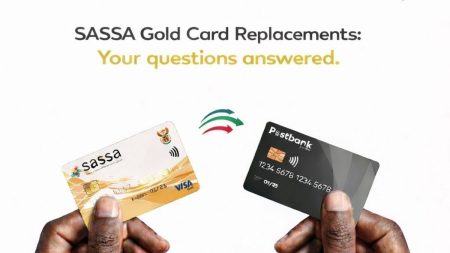
If your grant card is lost, call 0800 60 10 11 immediately to stop the card.
How Long Does It Take to Update Your Phone Number?
The timeline depends on the method used.
- Online updates: Usually within minutes after OTP verification
- Call centre updates: Same day, or within 24 to 48 hours
- Office visits: Often processed immediately
- Email requests: May take 1 to 5 working days
Delays may occur during payment cycles or system maintenance periods.
Best Time to Update Your Phone Number
Updating your number during active payment dates may result in delays because the system handles high traffic volumes.
According to SASSA guidelines, it is advisable to update details outside of peak payment processing periods.
What This Means for Gauteng Residents
For Gauteng beneficiaries of the R370 grant, losing access to a registered SIM card can temporarily interrupt communication with SASSA. Without an updated phone number:
- OTP verification may fail
- Payment notifications may not arrive
- Status checks may be blocked
- Identity verification may be delayed
Updating your contact details promptly ensures uninterrupted access to grant information and reduces the risk of fraud.
Risks of Not Updating Your Phone Number
Failure to update your details may lead to:
- Missed payment confirmations
- Inability to log in to the SRD portal
- Increased vulnerability if someone else gains access to your old number
- Delays in resolving grant-related issues
SASSA cannot verify or communicate with beneficiaries if the registered number is inactive.
What Happens After You Update Your Number?
After verification:
- All future SMS notifications are sent to the new number
- OTP codes will be linked to the updated SIM
- Your grant status remains unchanged
- Your payment method remains the same unless updated separately
Most updates are reflected immediately after OTP confirmation.
FAQ: Recovering Your R370 SASSA Grant After Losing a SIM Card
Can I update my phone number without an application ID?
You can retrieve your application ID through the SRD status check page using your ID number and previous contact details.
Can I change my number if I used someone else’s phone during the application?
Yes. You must verify your identity before updating the number.
Will changing my number affect my payment date?
No. Updating your phone number does not reset your application or payment cycle.
What if I cannot receive the OTP?
You may need to verify your identity through alternative methods or contact the call centre for assistance.
Can I update my number more than once?
SASSA systems generally allow updates, but frequent changes may trigger additional verification checks.
What Happens Next
SASSA continues to process SRD grant payments monthly. Beneficiaries are encouraged to regularly check their status and ensure that their contact details remain accurate. Any future system updates or changes to the SRD process are expected to be communicated through official SASSA channels.