




If you want to vote in South Africa’s upcoming elections, you must first register with the Independent Electoral Commission (IEC). The good news? You can complete the IEC register to vote process online in minutes.
This guide explains who can register, what documents you need, how to register online, how to check your voter registration status, how to update your address, and key deadlines for 2026.
Who Can Register to Vote in South Africa?
To qualify for voter registration South Africa, you must:
- Be a South African citizen
- Be 16 years or older (you can vote from age 18)
- Have a valid South African ID
- Not be declared mentally incompetent by a court
- Not be serving a prison sentence without the option of a fine (in certain cases)
According to the Electoral Commission of South Africa (IEC), citizens may register from age 16, but they can only vote once they turn 18.
“We urge all eligible South Africans to register online… and verify and update their address details,” said Acting Chief Electoral Officer George Mahlangu.
Registering early ensures you are eligible to vote when elections are announced.
ALSO READ: Book Your Home Affairs Appointment Online – Fast, Easy & Hassle-Free!
Documents You Need to Register
To complete your IEC register to vote application, you must have one of the following:
- Green barcoded South African ID book
- Smart ID card
- Valid Temporary Identity Certificate (TIC)
No proof of address document is required for online registration, but you must provide your current residential address.
How to Register to Vote Online (Step-by-Step Guide)
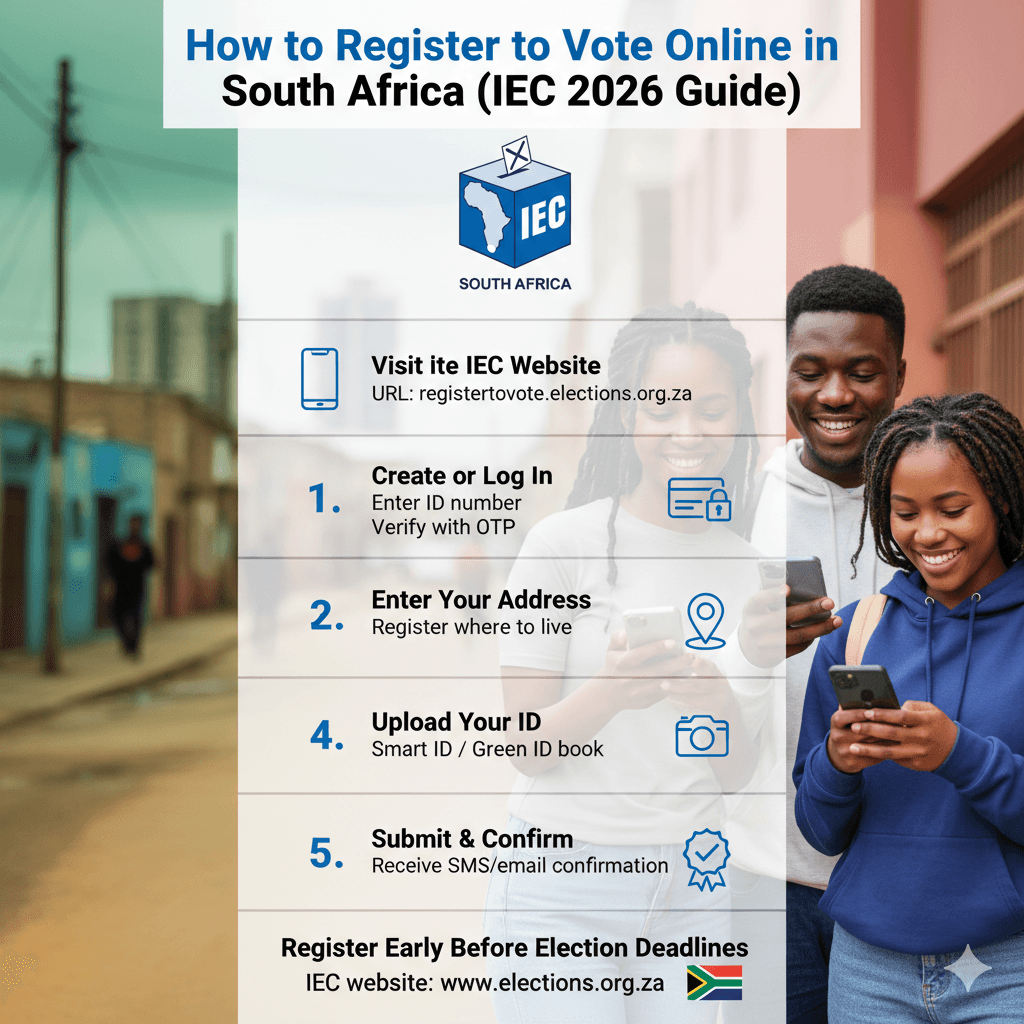
The IEC offers a secure IEC online registration portal.
Step 1: Visit the Official IEC Website
Go to:
👉 https://registertovote.elections.org.za
This is the official platform for register to vote South Africa applications.
Step 2: Create or Log Into Your Profile
- Enter your ID number
- Provide your contact details (email and cellphone number)
- Create login credentials
You may receive a One-Time PIN (OTP) for verification.
Step 3: Complete Your Personal Information
Fill in:
- Full names (as per ID)
- Date of birth
- Gender
- Residential address
Make sure your address is accurate — you vote where you live.
Step 4: Upload a Copy of Your ID
Upload:
- A clear photo or scan of your ID document
- Ensure the barcode is visible
Blurry or incomplete uploads can delay your registration.
Step 5: Submit Your Application
Once submitted:
- You will receive confirmation via SMS or email
- The IEC will process your application
- You can track or verify your registration status online
The process is free and typically takes only a few minutes.
How to Check Voter Registration Status
Not sure if you’re already registered? You can easily check voter registration status online.
To check:
- Visit the IEC website: https://www.elections.org.za
- Click on “Check My Registration Status”
- Enter your ID number
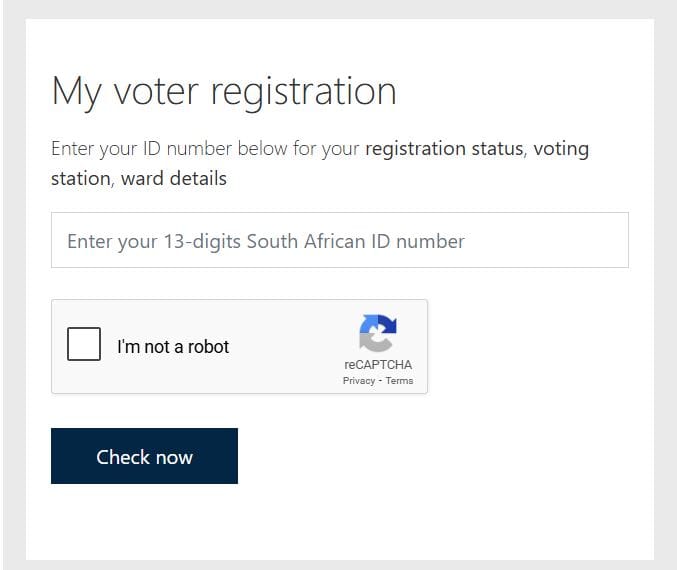
The system will confirm:
- If you are registered
- Your voting station
- Your voting district
This is important if you have moved or haven’t voted in previous elections.
ALSO READ: Gauteng Department of Human Settlements Customer Support Centres
How to Update Your Voting Address
If you’ve moved to a new area, you must complete an IEC voting address update.
You can update your address online using the same portal used for registration.
Why updating your address matters:
- You must vote in the district where you are registered
- Municipal elections require correct local ward registration
- Incorrect addresses may prevent you from voting in local elections
To update:
- Log into your IEC profile
- Select “Update Address”
- Enter your new residential details
- Submit
You may be required to upload supporting proof in certain cases.
The IEC regularly reminds voters:
“You register where you live and vote where you are registered.”
Common Mistakes to Avoid When You IEC Register to Vote
Many first-time voters make simple mistakes that delay registration.
Avoid these errors:
- Uploading a blurry ID photo
- Using an incorrect ID number
- Providing a temporary or outdated address
- Waiting until registration deadlines close
- Assuming you are registered without checking
Always double-check your information before submitting.
Why Registering to Vote Matters
Registering is the first step in participating in:
- National elections
- Provincial elections
- Municipal elections
Your vote determines leadership in:
- Parliament
- Provincial legislatures
- Local municipalities
Young South Africans, especially first-time voters, play a key role in shaping the country’s future.
Online registration has significantly improved access for people in rural areas, townships, and working communities who may not easily reach registration weekends or IEC offices.
Frequently Asked Questions (FAQs)
How do I register to vote online in South Africa?
Visit the official IEC online registration portal at https://registertovote.elections.org.za, create a profile, upload your ID, complete your details, and submit your application.
Can I register to vote at 16?
Yes. You may register at 16, but you can only vote once you turn 18.
Is IEC online registration free?
Yes. The IEC register to vote process is completely free.
How do I know if I am already registered?
Use the “Check My Registration Status” tool on the IEC website and enter your ID number.
The IEC register to vote process in 2026 is simple, free, and accessible online. Whether you are a first-time voter, have recently moved, or are unsure about your registration status, the IEC’s digital platform makes it easy to register or update your details.
Do not wait until the last minute.
Register early, verify your status, and ensure your voice is heard in South Africa’s next election.