


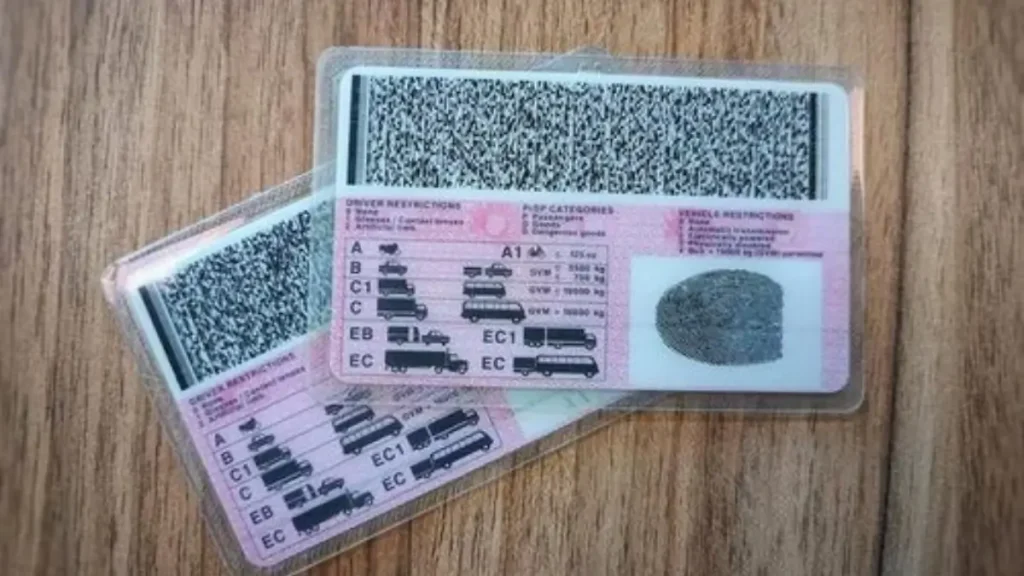
Thousands of South African motorists are still waiting for their driver’s licence cards, with many unsure whether their cards are ready for collection or still in production. The delay affects new applicants, renewals, and professional driving permit holders, particularly in Gauteng, where licence testing centres process a high volume of applications.
According to the Road Traffic Management Corporation, motorists are encouraged to check the status of their licence cards before visiting a Driving Licence Testing Centre to avoid unnecessary trips and long queues.
ALSO READ: What ‘Blacklisted’ Really Means (And How To Fix It Effectively)
Why Checking Your Licence Status Matters
Driver’s licence card backlogs have remained an ongoing issue following disruptions caused by the COVID-19 period, system downtime, and high renewal volumes. While production has stabilised, many cards remain uncollected due to motorists not receiving or missing SMS notifications.
The RTMC has repeatedly advised motorists to confirm their licence status before attempting collection, as cards are only held for a limited period at testing centres.
Two Official Ways to Check Your Driver’s Licence Card Status
Motorists can check their driver’s licence card status using either an SMS service or the online NaTIS platform. Both options are free to use and provide status updates directly linked to the national system.
Option 1: Check your driver’s licence status via SMS
The fastest way to check your licence card status is by SMS.
To do this:
- Send your South African ID number to 33214
- Wait for an automated response confirming your current licence status
For Professional Driving Permit applications, motorists must:
- Send their ID number to 44220
The SMS service is available nationwide and does not require internet access.
Option 2: Check your licence status online using NaTIS
Motorists who want a more detailed view of their application can use the online NaTIS system.
To check your status online:
- Access the NaTIS online services platform
- Create a user profile using your ID number
- Log in using your username and password
- View your dashboard under “Licensing Information Summary.”
- Check the status of your driver’s licence card application
The online platform is especially useful for motorists who applied several weeks ago and have not received an SMS update.
What Each Licence Status message means
When checking your driver’s licence card status, you may receive one of several standard responses. Understanding these messages can help you determine your next step.
Application Received
This means your application has been submitted by the Driving Licence Testing Centre but has not yet entered production.
Production Queue
Your licence card is being manufactured. No collection is possible at this stage.
Produced and Ready for Collection
Your card has been printed and delivered to the testing centre. The RTMC advises collecting it within 14 days once production is complete.
Problem Card
There is an issue with your application or card production. You will need to return to the testing centre where you applied for assistance.
How Long Does it Take Before a Card is Ready
Under normal conditions, licence cards are ready for collection around 14 days after production. However, due to volume backlogs, the RTMC has previously advised motorists to allow up to 35 days before visiting the testing centre.
Motorists who have waited longer than six weeks without receiving an SMS are strongly encouraged to check their status online or via SMS.
Uncollected Licence Cards Remain a Concern
The RTMC has reported that a significant number of licence cards remain uncollected at testing centres. In previous reporting periods, less than half of the produced cards were collected within the recommended timeframe.
Uncollected cards increase administrative pressure on testing centres and may eventually be returned to the national printing facility if left too long.
What This Means for Gauteng Residents
For Gauteng residents, checking a driver’s licence card status before visiting a testing centre can save time and transport costs. Licence offices in Johannesburg, Tshwane, and Ekurhuleni often experience high daily volumes, and walk-in visits without confirmation can result in long waits or being turned away.
Using the SMS or online system allows motorists to plan collection visits more efficiently and reduces congestion at licence testing centres.
Professional Driving Permit Holders
Applicants for Professional Driving Permits must use the dedicated SMS line to check their application status. PrDP applications are processed separately and may take longer depending on verification requirements.
Motorists relying on PrDPs for employment are advised to monitor their status closely and resolve any “problem card” notifications as soon as possible.
FAQ’s
How do I check if my driver’s licence card is ready?
You can send your ID number to 33214 or check your status on the NaTIS online platform.
Is there a cost to check my licence status?
No. Both the SMS and online services are free to use.
How long will the testing centre keep my card?
Cards are usually held for a limited period. Motorists are advised to collect them promptly once ready.
What should I do if my status says ‘problem card’?
You must return to the Driving Licence Testing Centre where you applied for assistance.
Can I collect my licence without checking the status?
You may try, but the RTMC advises confirming readiness first to avoid unnecessary trips.
What Happens Next
The RTMC continues to monitor licence card production and collections nationwide. Motorists are expected to take responsibility for tracking their application status and collecting cards promptly once notified.
As licence renewals remain high across Gauteng, officials have indicated that status checks will remain an essential step in managing testing centre workloads in 2026.