

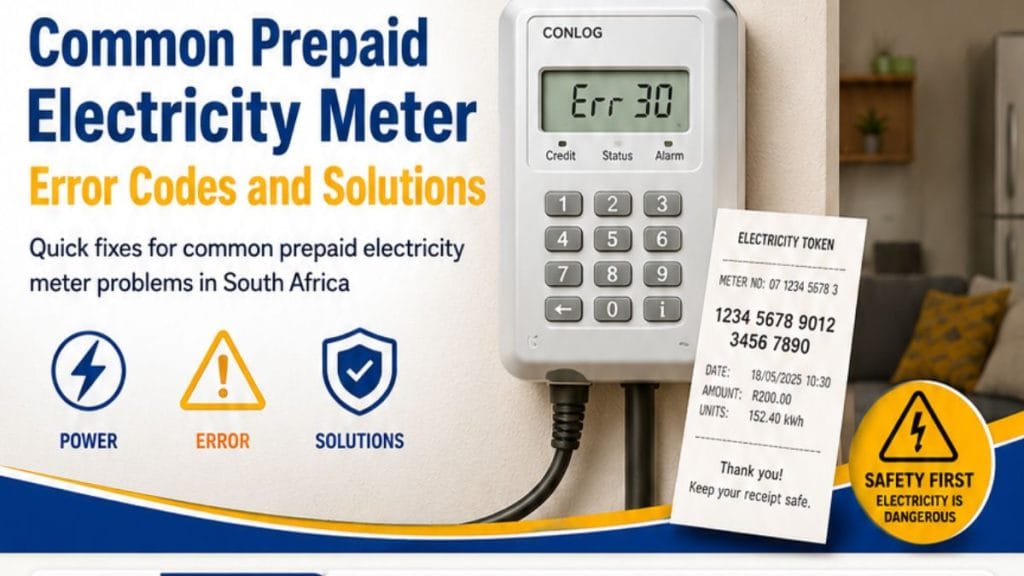
Prepaid Electricity Meter Error Codes are common in South African homes. These messages often appear during token purchases, load shedding, or power interruptions. However, most issues have simple solutions.
Prepaid meters help households manage electricity usage and avoid large monthly bills. The meter deducts units as electricity gets used. When problems occur, the meter displays an error code to explain the issue.
Understanding these codes can help you restore power quickly. It can also help you avoid unnecessary call-outs or panic.
How Prepaid Electricity Meters Work
A prepaid electricity meter uses purchased tokens to supply electricity. Users buy electricity units and enter a 20-digit token into the keypad.
The system then updates the balance automatically. However, communication failures, overloads, expired tokens, or meter faults can interrupt the process.
As a result, the meter may display an error message.
RELATED: Get Free Basic Electricity Every Month – See if You Qualify
Quick Reference Table for Prepaid Electricity Meter Error Codes
| Error Code | Meaning | Quick Fix |
|---|---|---|
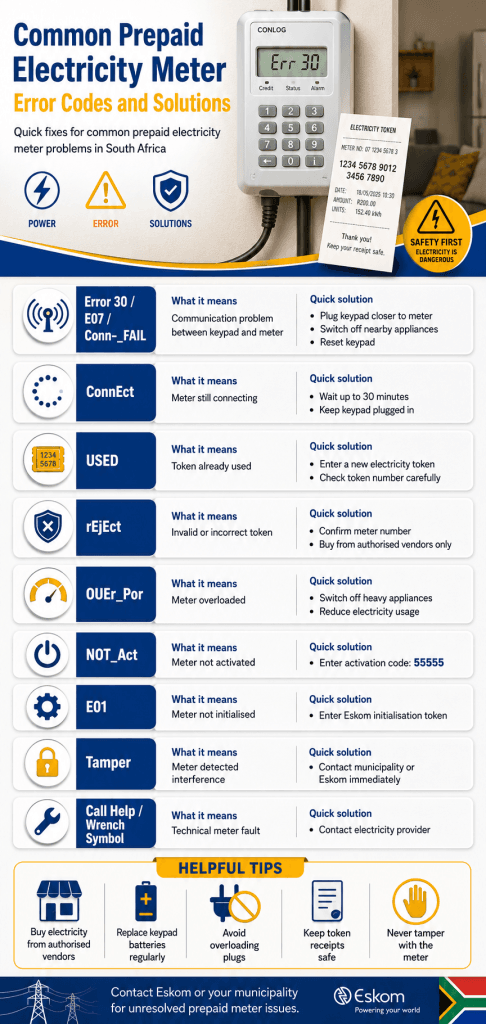
| Error 30 / E07 / Conn-_FAIL | Communication problem | Plug keypad closer to meter and reset |
| ConnEct | Meter still connecting | Wait up to 30 minutes |
| USED | Token already used | Buy and enter a new token |
| rEjEct | Invalid token | Contact provider |
| OUEr_Por | Meter overloaded | Switch off appliances |
| NOT_Act | Meter not activated | Enter activation token |
| E01 | Meter not initialised | Enter initialisation token |
| Loct-oUT | Meter locked | Wait for reset |
| Call Help / Wrench Symbol | Technical fault | Contact municipality or Eskom |
| Tamper | Meter tampering detected | Report issue immediately |
Common Prepaid Electricity Meter Error Codes and Solutions
Error 30, E07, or Conn-_FAIL
This is one of the most common prepaid meter error codes South Africa experiences.
It usually means the keypad cannot communicate with the main meter.
How to fix it
- Plug the keypad into the nearest wall socket to the meter
- Switch off nearby appliances
- Check the keypad batteries
- Press the “i”, BLUE, or “#” button to reconnect
- Wait a few minutes
Eskom states that this problem usually does not need a technician.
ConnEct Error
This message means the keypad is still trying to connect to the meter.
How to fix it
- Leave the keypad plugged in
- Wait up to 30 minutes
- Avoid unplugging the device repeatedly
Most meters reconnect automatically after some time.
USED Error
The USED error appears when someone enters an old electricity token.
Each token only works once.
How to fix it
- Double-check the token number
- Buy a new token if needed
- Avoid entering old receipts
rEjEct Error
This error means the meter rejected the token.
The token may be invalid or unauthorised.
How to fix it
- Confirm the token matches the meter number
- Buy electricity from approved vendors only
- Contact Eskom or your municipality if the issue continues
OUEr_Por Error
This code means the meter is overloaded.
Too many appliances are drawing electricity at the same time.
How to fix it
- Switch off heavy appliances
- Wait about 30 minutes
- Restart appliances slowly
- Avoid using heaters, kettles, and stoves together
NOT_Act Error
This error means the meter is not active.
How to fix it
Enter this activation token:
55555
If the error remains, contact your municipality or electricity provider.
E01 Error
The E01 code means the meter has not been initialised properly.
This often happens after installations or replacements.
How to fix it
Enter this Eskom initialisation token:
1275 4194 1448 6450 5970
Loct-oUT Error
This message means the meter temporarily blocked token entries.
It often happens after exceeding the power limit.
How to fix it
- Switch off appliances
- Wait for the message to disappear
- Do not enter repeated tokens during lockout
Tamper Error
A tamper error appears when the meter detects interference or illegal connections.
In some cases, damaged wiring can also trigger this warning.
How to fix it
- Do not attempt to bypass the meter
- Report the issue immediately
- Contact Eskom or your municipality for a reset token
Tamper errors usually require official assistance.
Call Help or Wrench Symbol
This message points to a technical fault inside the meter.
How to fix it
Unfortunately, you cannot clear this error yourself.
You must contact Eskom or your local municipality for support.
Prepaid Meter Not Accepting Token After KRN Upgrade
South Africa completed a Key Revision Number (KRN) rollover project for prepaid meters.
Meters that still use KRN1 may reject new tokens.
How to check your meter status
Enter this code:
1844 6744 0738 4377 2416
- “1” means the meter still needs upgrading
- “2” means the upgrade is complete
Tips to Prevent Electricity Meter Problems and Solutions
You can reduce prepaid electricity problems by following simple habits.
Best practices
- Buy electricity from authorised vendors only
- Replace keypad batteries regularly
- Avoid overloading circuits
- Keep token receipts safe
- Load KRN update tokens immediately
- Do not tamper with the meter
When to Contact Eskom or Your Municipality
You should escalate the issue if:
- The meter stays blank
- The meter keeps rejecting valid tokens
- A tamper warning appears
- The keypad stops responding completely
- Technical symbols appear on the screen
Always keep your meter number ready before contacting support.
FAQs
What does Error 30 mean on a prepaid meter?
Error 30 means there is a communication problem between the keypad and the meter
Why is my prepaid meter not accepting tokens?
The token may already be used, invalid, or linked to another meter. KRN upgrade issues can also cause this problem.
What does the Call Help message mean?
It usually means the meter has a technical fault that requires support from Eskom or the municipality.
Prepaid Electricity Meter Error Codes can interrupt power unexpectedly. However, most problems have quick and simple solutions. Understanding these messages helps South African households restore electricity faster and avoid unnecessary frustration.
If the issue continues after troubleshooting, contact Eskom or your local municipality for assistance.