



As South Africa prepares for the 2026 Local Elections, one simple step can save you stress on voting day—checking which ward you are registered in. Many voters only realise too late that their details are outdated or that they are registered in a different area.
If your ward or voting station is incorrect, you may be turned away or unable to vote where you currently live. That’s why it’s important to check your details early and fix any issues before registration deadlines close.
This guide will walk you through simple, official ways to check your ward, even if you have limited data or only access to a basic phone.
Why Your Ward Matters in the 2026 Local Elections
In local government elections, your vote is tied directly to the area where you live. Unlike national elections, you cannot vote anywhere.
Each voter is assigned to a specific:
- Voting district
- Ward
- Voting station
Your ward determines:
- Which councillor you vote for
- Which local issues you influence
- Where you must physically vote
The Electoral Commission of South Africa (IEC) requires voters to vote at their registered voting station for local elections.
If you’ve moved (even within the same city), you may now fall under a different ward. That’s why checking your registration is critical.
RELATED: IEC Register to Vote: How to Register Online in 2026
Method 1: Check Your Ward via SMS (Low Data Option)
This is the easiest option if you have limited internet access.
Steps:
- Open your SMS app
- Type your 13-digit South African ID number
- Send it to 32810
What you’ll receive:
- Your registration status
- Your voting station
- Your ward details
Cost: About R1 per SMS
This method is quick, mobile-friendly, and ideal for:
- Students
- Rural users
- Anyone without data
Method 2: Check Your Ward Online (IEC Website)
If you have internet access, the IEC website gives more detailed information.
Steps:
- Visit the official IEC voter information page
- Enter your ID number
- Submit your details
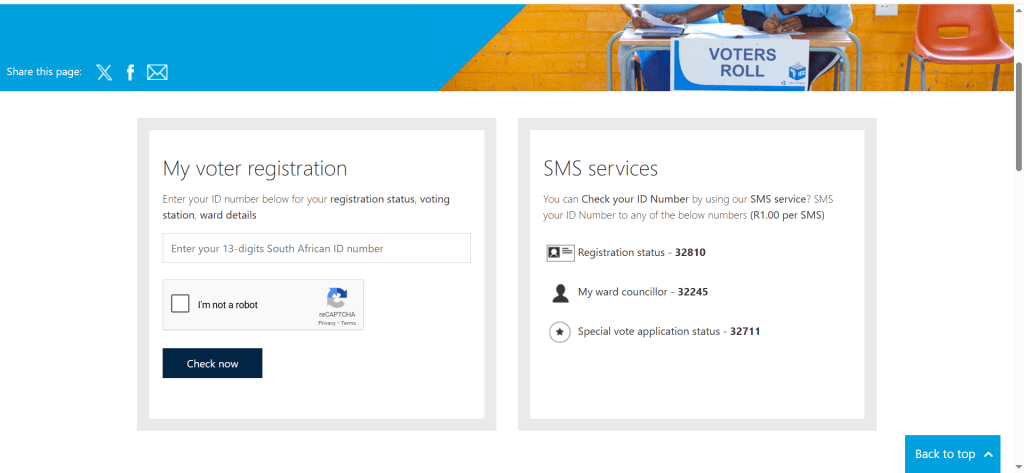
You’ll see:
- Your ward number
- Voting station name
- Registration status
- Municipality
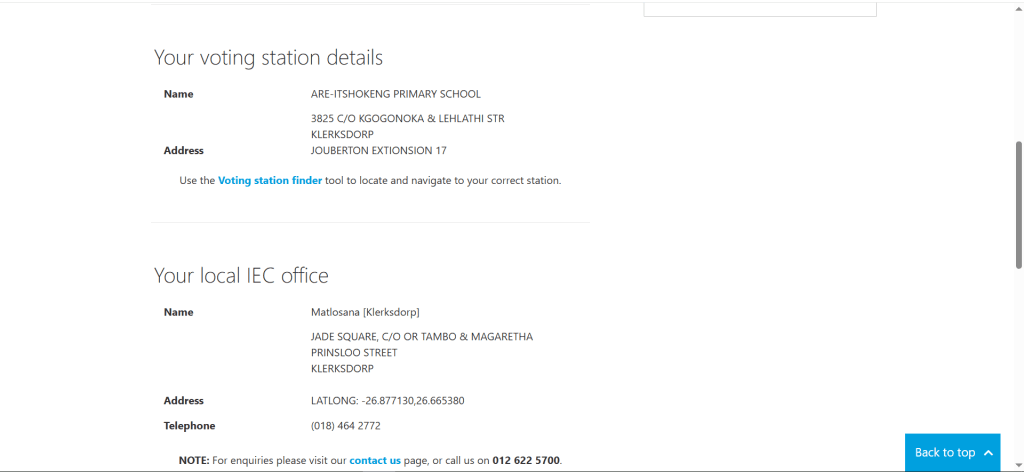
Using the official IEC platform ensures your information is accurate and up to date.
Method 3: Use the IEC South Africa App
IEC South Africa App
The IEC app is a powerful tool for checking and managing your voter registration.
What you can do:
- Check your ward
- Confirm your voting station
- Update your address
- Register as a voter
How to use it:
- Download the app from your app store
- Enter your ID number
- View your voter details
This option is ideal for smartphone users who want everything in one place.
Method 4: Use the Voting Station Finder Map
If you’re unsure about your ward based on your location, this method helps.
Steps:
- Search for the IEC Voting Station Finder online
- Enter your home address or location
- Click on your area
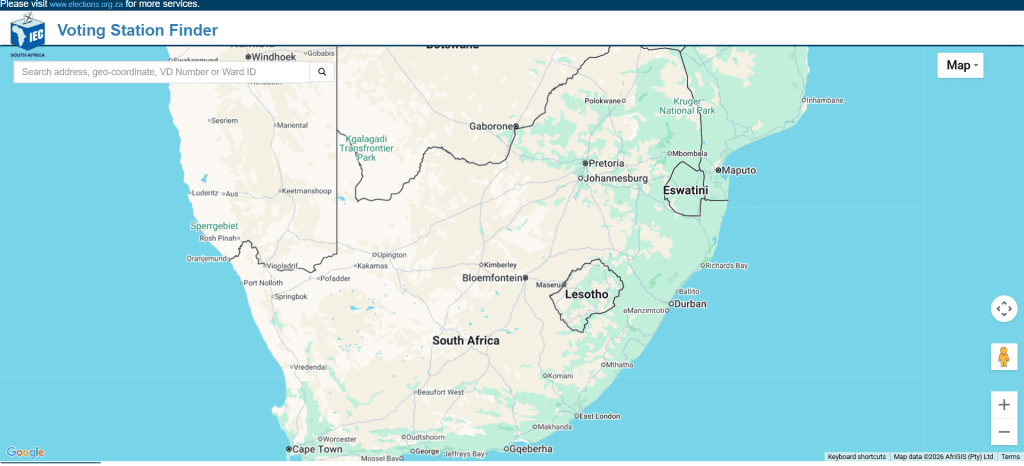
You’ll get:
- Your ward number
- Voting district
- Nearest voting station
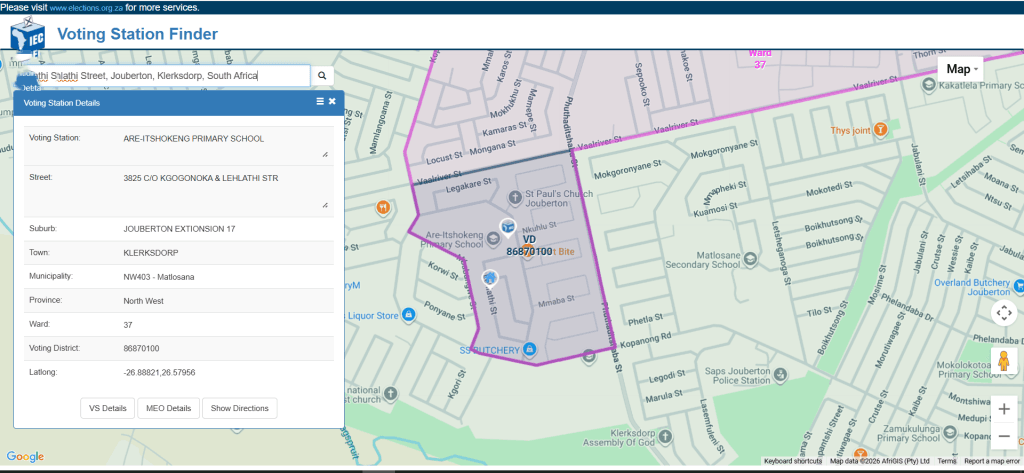
This is especially helpful if:
- You recently moved
- You are unsure if your registration matches your current address
How to Check Your Voting Station in South Africa
Your voting station is linked to your ward. Once you check your registration, you will also see where you must vote.
Quick checklist:
- Confirm your ward number
- Confirm your voting station name
- Double-check the location
If anything looks incorrect, you need to update your details before the election.
What to Do If Your Ward Details Are Wrong
It is common for voters to find that their details are outdated.
Common issues:
- You moved to a new area
- You registered years ago
- Your address was captured incorrectly
What you should do:
- Update your address on the IEC website
- Use the IEC app to change your details
- Visit your nearest IEC office if needed
Your registration must reflect where you ordinarily live, not where you used to live.
Can You Vote Outside Your Ward?
This is one of the most common questions.
Short answer:
No, not fully.
In local elections:
- You must vote at your registered voting station
- You may not be allowed to vote for ward candidates outside your area
If you attempt to vote outside your ward:
- You might only receive a partial ballot
- Or you may be turned away entirely
To avoid this, always check your ward before election day.
When Should You Check Your Registration?
Do not wait until the last minute.
Best time to check:
- As soon as possible before the election
- During voter registration weekends
- Before the IEC closes updates
Early checking gives you enough time to:
- Fix errors
- Update your address
- Avoid long queues
Tips to Avoid Problems on Voting Day
Here are practical tips to ensure a smooth experience:
✔ Check early
Do not wait until election week.
✔ Use more than one method
Confirm your details using SMS and online tools.
✔ Keep your ID ready
You will need your South African ID to vote.
✔ Update your address if needed
This is the most common issue for voters.
✔ Save your voting station details
Take a screenshot or write it down.
Why This Matters for First-Time Voters
If you are voting for the first time in the 2026 Local Elections, this step is especially important.
Many first-time voters:
- Register while living at home
- Later move for school or work
If you don’t update your details, you may be registered in a completely different ward.
Checking your registration ensures:
- Your vote counts in your current community
- You avoid confusion on election day
FAQs About Checking Your Ward
How do I check my voter registration in South Africa?
Enter your ID number on the IEC website or send it via SMS. You will receive your registration details instantly.
What is the IEC SMS number for ward checks?
The official number is 32810. Send your ID number to receive your ward and voting station details.
Is the IEC app free to use?
Yes, the app is free. However, standard data charges may apply when using it.
The 2026 Local Elections are an opportunity to shape your community. However, your vote only counts if your registration details are correct.
Checking your ward takes just a few minutes, but it can prevent major frustration on voting day.