


The NMBM Mobile App gives Nelson Mandela Bay residents a simple way to manage municipal services from their phones. You no longer need to visit municipal offices for basic services. Instead, you can check balances, pay accounts, and submit readings anytime.
This guide explains how to download, register, and use the app step by step.
What Is the NMBM Mobile App?
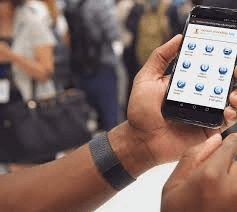
The NMBM Mobile App is an official platform from Nelson Mandela Bay Municipality. It allows residents to access municipal account services using a smartphone.
The app is designed to reduce queues and improve service delivery. It works alongside the municipality’s IVR and e-services system.
Key Features of the NMBM Mobile App
The app focuses on essential municipal services. Once registered, you can:
- View your municipal account statement
- Check your account balance
- Submit meter readings
- Make account payments
- Buy prepaid electricity
These features make it a practical municipal account app in South Africa, especially for users who prefer mobile access.
RELATED: How to Check if You’re on the Housing Needs Register in South Africa
How to Download the NMBM Mobile App
You can download the app from major app stores:
Steps to Download:
- Open Google Play Store or Apple App Store
- Search for NMBM Mobile Application
- Tap Install or Download
- Open the app after installation
Ensure you download the official version to avoid security risks.
How to Register for the NMBM Mobile App
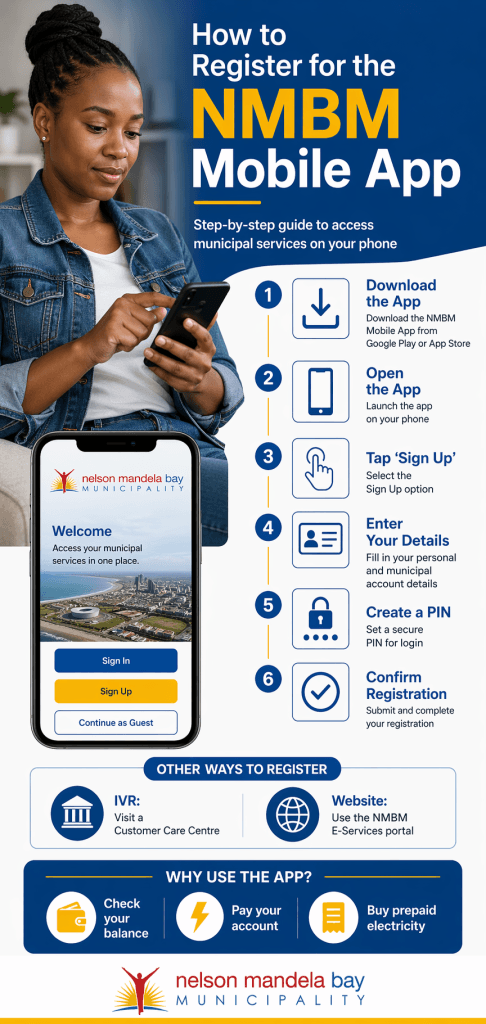
You can register using three main methods. Choose the option that suits you.
1. Register via the Mobile App
- Open the app
- Tap Sign Up
- Enter your personal and account details
- Create a PIN
- Confirm registration
2. Register via IVR (Customer Care Centre)
- Visit a municipal Customer Care Centre
- Request an IVR registration form
- Complete and submit the form
3. Register via the Website
- Go to the official NMBM website
- Click Residents
- Select E-Services
- Choose IVR Account Services
- Complete the sign-up process
This method is useful if you prefer a desktop setup.
How to Use the NMBM Mobile App
Once registered, the app becomes your main tool for managing services.
Check Your Municipal Balance
- Log in using your PIN
- Select Balance Enquiry
- View your current account status
This answers the common query: how to check municipal balance online.
Pay Your Municipal Account
- Go to Payments
- Enter payment details
- Confirm the transaction
This is a convenient way to pay your municipal account via phone.
Buy Prepaid Electricity
- Select Prepaid Electricity
- Enter your meter number
- Choose an amount
- Complete the purchase
This feature supports users who want to buy prepaid electricity in Nelson Mandela Bay quickly.
Submit Meter Readings
- Open Meter Readings
- Enter your current reading
- Submit for processing
What to Do If You Forget Your PIN
Forgetting your PIN is common. The system provides simple recovery options.
Reset via the App
- Open the app
- Select Forgot PIN
- Follow the prompts
Reset via E-Services
- Log in to the NMBM website
- Go to IVR Account Services
- Reset your PIN
Always keep your PIN secure after resetting.
Benefits of Using the NMBM Mobile App
The app offers clear advantages over traditional methods:
- Saves time by avoiding queues
- Provides 24/7 access to services
- Reduces travel costs
- Simplifies account management
- Improves payment tracking
For many households, this is a more efficient way to manage bills.
ALSO READ: RDP House Status Check: 5 Ways to Track Your Application
Common Issues and How to Fix Them
Some users face challenges during setup or use.
Registration Fails
- Ensure your account details match municipal records
- Check your internet connection
Login Problems
- Confirm your PIN is correct
- Reset your PIN if needed
Navigation Confusion
- Use clearly labelled sections like Payments or Balance
- Update the app for the latest version
Payment Errors
- Check your banking details
- Retry the transaction
Tips for Smooth Use
- Keep your login details safe
- Update the app regularly
- Use a stable internet connection
- Save your account number for quick access
These steps reduce common errors.
Why the NMBM Mobile App Matters
The app supports digital access to municipal services. It reduces pressure on service centres and improves convenience.
For low- to middle-income households, mobile access helps manage budgets better. You can track spending and pay bills on time.
FAQs About the NMBM Mobile App
Is the NMBM Mobile App free to use?
Yes. The app is free to download. Standard data charges may apply.
Can I use the app without registering?
No. You must register to access account services.
Is it safe to pay bills on the app?
Yes. Use the official app and secure your PIN.
What services are available on the app?
You can check balances, pay accounts, submit readings, and buy electricity.
What if I cannot access the app?
Use the NMBM website or visit a Customer Care Centre.
The NMBM Mobile App offers a practical solution for managing municipal services in Nelson Mandela Bay. It simplifies payments, improves access, and reduces the need for in-person visits.
By following the steps in this guide, you can register quickly and start using the app with confidence.